
How do I cancel my Bully Max subscription? Mobile & Desktop instructionsUpdated 17 days ago
You can cancel your Bully Max subscription through your online subscription dashboard or the Bully Max mobile app. You do not need to call, start a chat, or speak with a customer support agent to cancel online.
Access Your Subscription Dashboard
Option 1: Cancel Through the Bully Max Mobile App
- Open the Bully Max app. If you haven’t installed it yet, download it from the App Store or Google Play . You can also use the online dashboard without downloading an app.
- Tap Account, then Subscriptions.
- Select the subscription you want to cancel.
- Tap Cancel Subscription.
- Select a cancellation reason from the list, then tap Confirm.
After completing cancellation, you should see a confirmation on screen and receive a confirmation email. You can also check your subscription’s status in your dashboard.
Option 2: Cancel Through Your Online Dashboard
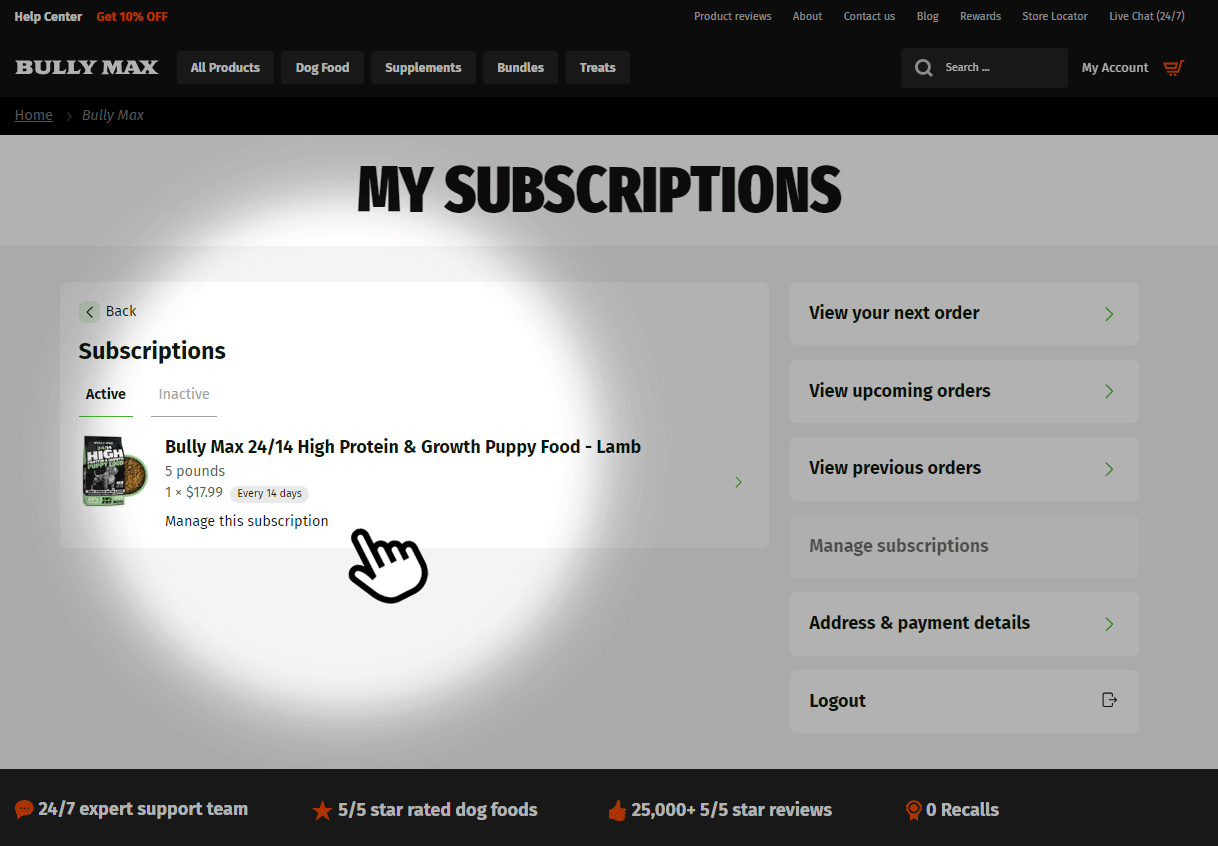
- Log in to your subscription dashboard . If you’re having trouble signing in or don’t remember your password, request access to your subscription dashboard .
- Find the subscription you want to cancel and select Manage this subscription.
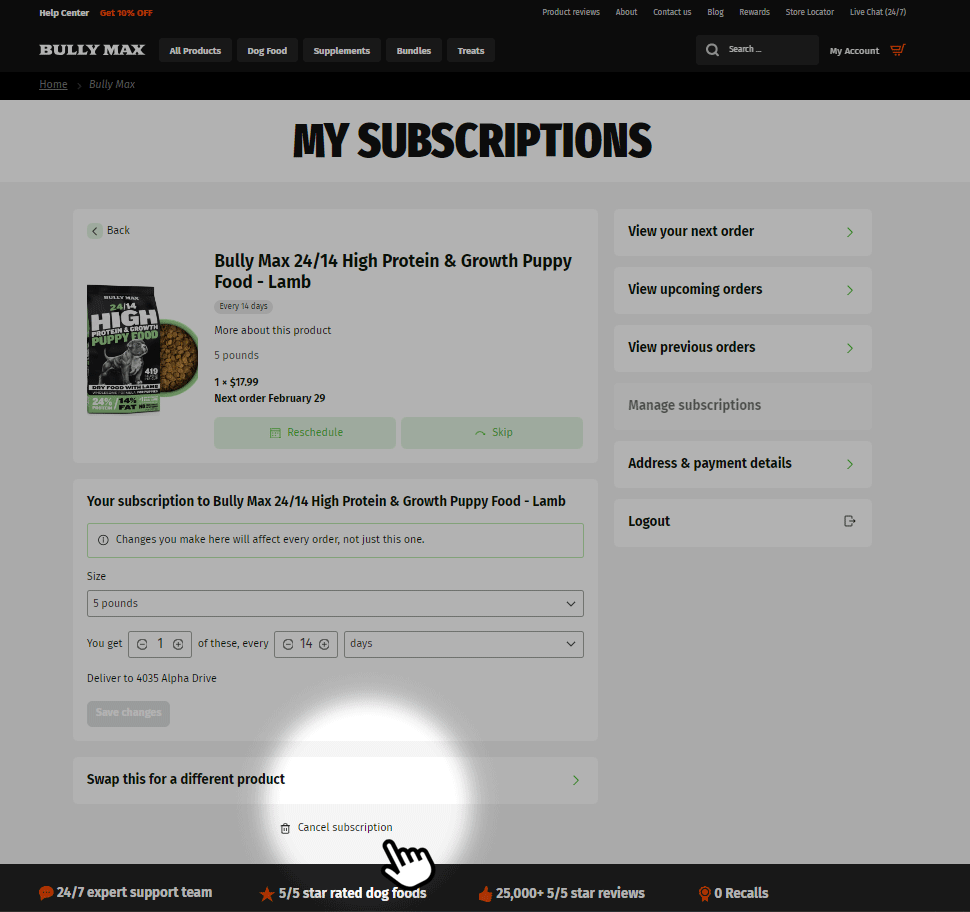
- Scroll down and select Cancel subscription. If prompted, confirm your cancellation.
After completing cancellation, you should see a confirmation on screen and receive a confirmation email. You can also check your subscription’s status in your dashboard.
What Happens After Cancellation?
Canceling stops future automatic renewals for that subscription. It does not automatically cancel or refund an order that has already been processed. For help with an existing order, contact our support team and review our return policy . This does not limit any rights you have under applicable law.
If you have more than one subscription, repeat the cancellation steps for each subscription you want to cancel.
Need Assistance?
If you cannot access your account, encounter an error, or do not see confirmation, email [email protected] or start a live chat at shop.bullymax.com. Our team can help you cancel or confirm your subscription’s status.
Contacting support is an additional option, not a required step in online cancellation.